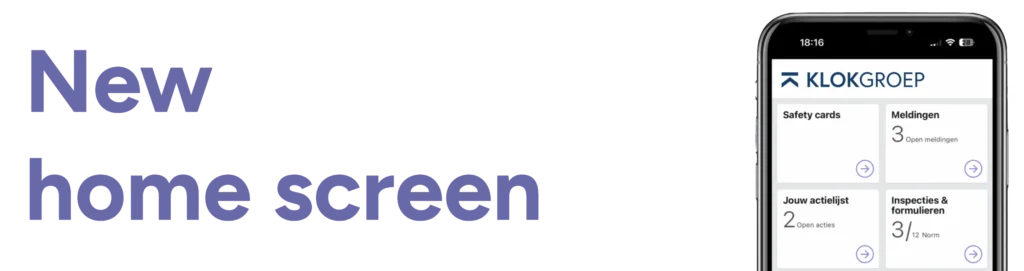
 With this new release, all our app users have a new home screen – including the organisation’s logo. With this new screen, users have a better view of all available functions and can easily navigate to them via the tiles.
For example to:
- The Safety cards.
- The logbook – this tile also shows the number of open reports of the user.
- The personal action list – here too we show the number of open actions.
- If active – the forms. We show the number of completed forms and – where applicable – compare them with the organisation’s current standard.
- If active – the toolboxes. We show the number of toolboxes attended and – where applicable – compare them with the organisation’s current standard.
- If active: the digital Check-in, which allows people present at a location to check themselves in and out (possibly using a code).
We have also reworked the menu at the bottom of the screen. All options are now shown here. Are there more options than there is room for? Then you can ‘scroll’ the menu by (gently) moving your finger to the left on the screen.
Want to know more?
Want to know more about how software can support your organisation? Perhaps you would like a demo? Then contact Edo at edo@safesightsafety.com or call +31 6 14 83 35 36.