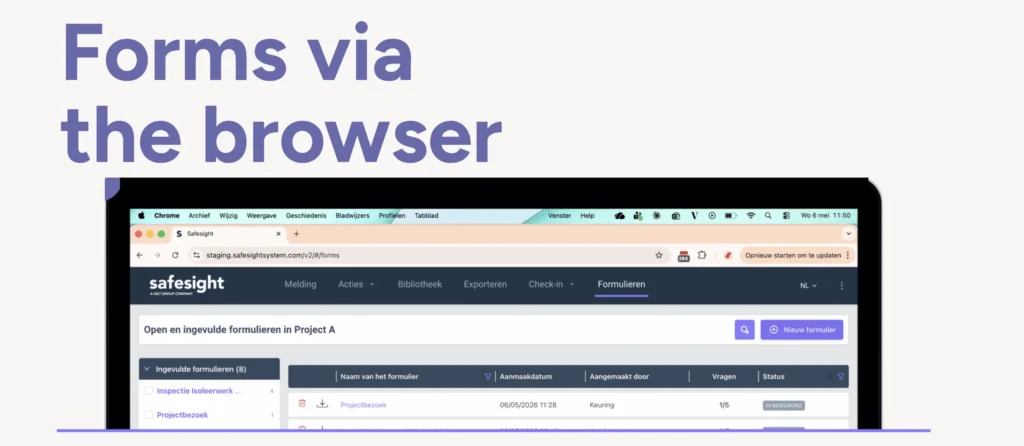
It is now possible to start and complete forms – such as workplace inspections, safety walks or quality rounds – via the browser. Via ‘Forms’ in the menu at the top of the page you navigate to the forms page. Here you can see in one overview how many and which forms have been completed on the project (and which are still in progress). And of course you can start a new form.

In addition, we have made two important changes that we will also roll out in the app:
1. Questions are shown per set
We now show all questions within a question set on one screen. So no longer a separate page for each question. The set names are shown on the left side of the screen and can be used as links to the questions within that set.
2. Add extra findings
Before starting the form, the user is still asked which questions he/she wants to add to the form. Of course, it may be that while completing the form you still want to add extra questions. Or that you come across points that are not available at all as a standard question in the set.
For this we have the button ‘Add extra questions/findings’. Click this button and a pop-up appears with the standard questions available in that set. The user can add the missing question to the form by switching the toggle on.
Are the standard questions not sufficient for the user’s finding? Then he/she chooses the button ‘Add extra finding’. An extra question then appears in the form – by default with a free text field and the option to add attachments.
It is also possible to show a dropdown menu with a number of standard options for that extra finding. Including the option – when a specific option is chosen – to automatically log the report in the logbook. You set this up in the back end of Safesight.